Making Drag-and-Drop Not a Drag: An Eye Tracking Study
UX Researcher
Role
Tobii
Figma
PrivatePanel
Tools
Eye tracking
Data analysis
Skills
Grace Ho
Atharva Nayak
Karla Santamaria
Gloria Yang
Team
Abstract
Gutenberg Technologies aims to allow authors and publishers to easily arrange and create educational and corporate content through a drag and drop content management system (CMS). My objective was to study the use of the Table of Contents (TOC), Authoring from scratch, and the functionality of that drag and drop feature in CMS to create recommendations to improve the site’s usability. To do that, I utilized eye tracking, retrospective think aloud sessions, the system usability scale (SUS), and synthesized our findings with affinity maps, heat maps, and gaze replays. Throughout this study, I found that while the main issues were that drag and drop was not always discoverable, there was confusion when creating a new project, and that users did not intuitively understand how to add content. Based on those key findings, I proposed user experience recommendations and an A/B testing plan to our clients.
Context
Problem Statement
Gutenberg Technologies is an e-learning course builder and manager tool that allows users to create online textbooks and resources. Their course management system (CMS) has not been updated in a long time and can be difficult for new users to onboard. Our client hopes to improve the usability of CMS, make the product more intuitive, and look for ways to make resource creation even easier for their users. For this project, our team is studying usability on the authoring from scratch feature, which includes project creation, drag-and-drop interactions, and navigating the table of contents.
Goals
Identify usability issues within the CMS authoring experience
Evaluate the intuitiveness of core interactions, including project creation, drag and drop, and table of contents navigation
Discover opportunities to simplify resource creation and improve overall usability
Create researched-backed recommendations that matches users' mental models
The objective is to study the use of the Table of Contents, Authoring from scratch, and the functionality of the drag and drop features in CMS.
My Role
Within our team of UX researchers, I worked primarily as an Editor, ensuring that our language and graphics were consistent through out our presentations and documentation. Throughout this entire project, we collaborated together to produce our results.
Other Contributions:
Developed a research plan and moderator's script for eye-tracking sessions
Recruited and screened participants from my own networks for our study
Facilitated and took notes for our moderated eye-tracking sessions
Analyzed eye-tracking, RTA sessions, and SUS score data
Synthesized and triangulated findings into researched recommendations
Documented research and collected data to share with our clients
Created and proposed visual mockups of recommendations to our clients
Challenges & Constraints
While conducting our research, we encountered several challenges. Since we were working with a new software (Tobii), we had to learn how to use it, which meant struggling through many technical difficulties. Our team was able to troubleshoot many of these challenges through research and asking questions. One such example is how Tobii would not produce our heat maps, but we found a workaround. Other examples included a time when one of our teammates emergency called our groupchat to get troubleshooting help and almost everyone was able to respond quickly. Although we were trying something new, we supported each other and learned together.
A constraint of this study is sample size. This study was conducted with only 9 participants— 2 of which (a technical recruiter and a content strategist) fit the exact target demographic that GT is currently working with. With limited resources, it was difficult to find and recruit more of GT's target participants, so we chose graduate assistants and students to offer other points of views as participants who often work with and view educational resources.
Methodology
Eye-Tracking & Retroactive Think-Aloud
Eye-tracking shows what users actually look at, revealing moments of confusion, hesitation, and search patterns that may not be verbalized. I used Tobii to conduct our eye-tracking and paired each session with Retrospective Think-Aloud (RTA). RTA helps researchers understand why users made certain decisions, as participants explain their thought process while watching their own gaze replay.

For this study, my team conducted:
9 moderated sessions (45–60 minutes each)
Participants: Graduate Assistants, a Technical Recruiter, a Software Engineer, a Content Strategist, and Students
Metrics collected: Task completion, completion time, gaze data, and System Usability Scale (SUS)
Data gathered: Gaze replays, gaze plots, heatmaps, and AOI metrics
System Usability Scale
The System Usability Scale (SUS) is a widely used 10-question survey rated on a 1–5 agreement scale to assess perceived product usability.
Participants completed the SUS survey at the end of their session, and after all sessions were completed, I calculated the overall, usability, and learnability scores to validate and contextualize my insights from the eye-tracking study.

Findings &
Recommendations
Finding 1: Users were confused with editing in TOC
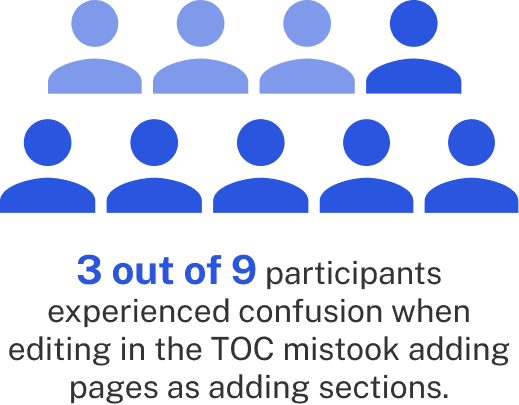
Users were confused when adding new sections, which led to disorganization in the TOC. When clicking through the Add dropdown menu, some participants missed adding sections. Others did not understand what a section meant in relation to a page.
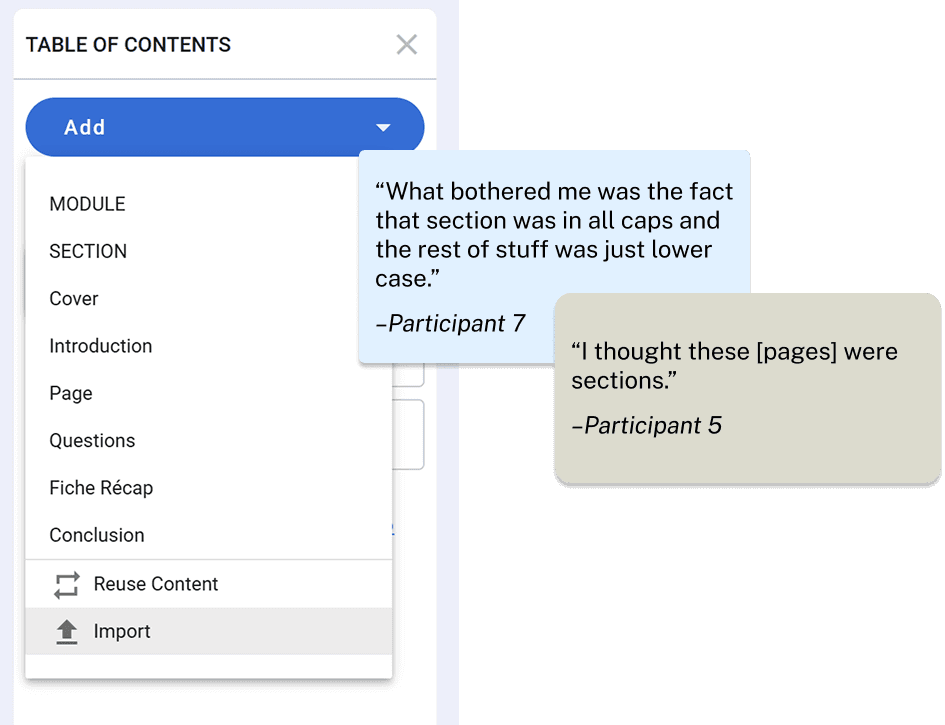
Gaze replay shows a participant opening the menu and selecting Pages despite seeing Sections
Recommendation 1: Redesigning the TOC Dropdown
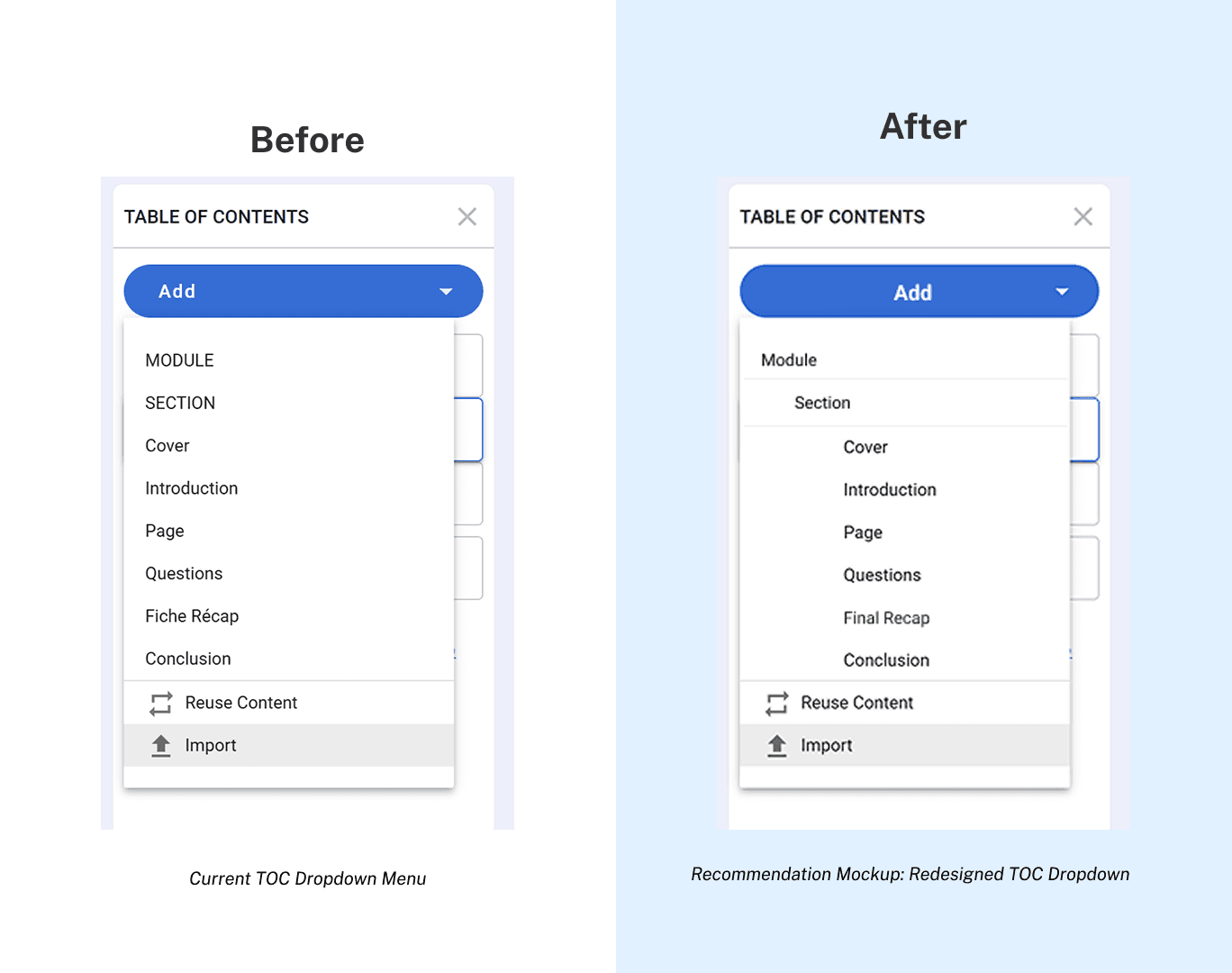
To address the users' confusion, we decided to redesign the TOC's Add dropdown. Although there are multiple ways for a user to add a new section, this is the primary method. Because some users were missing the relation between the different types of content, I redesigned the menu to show hierarchy.
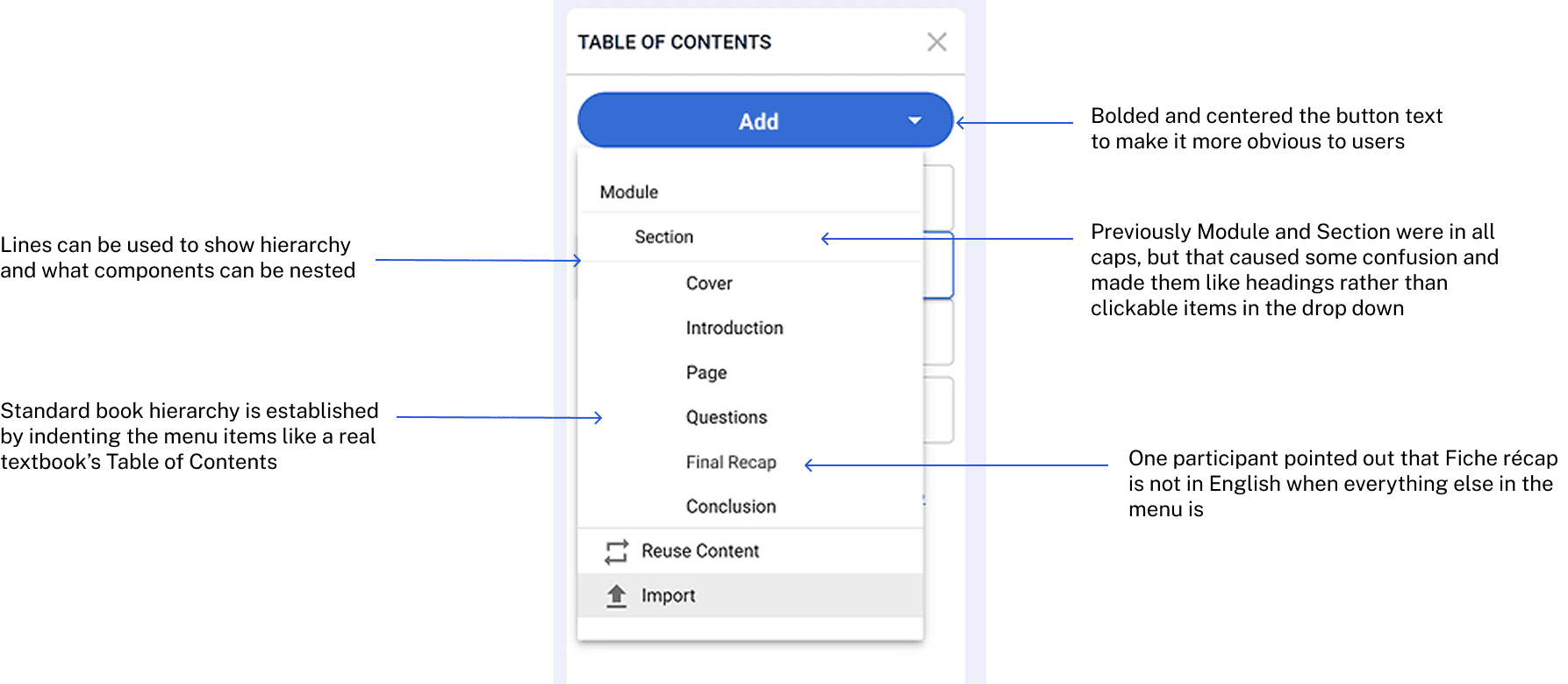
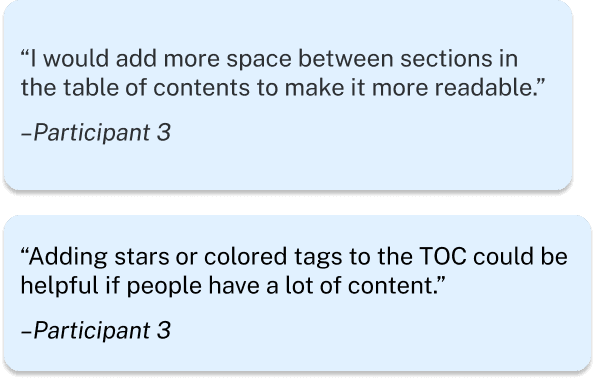
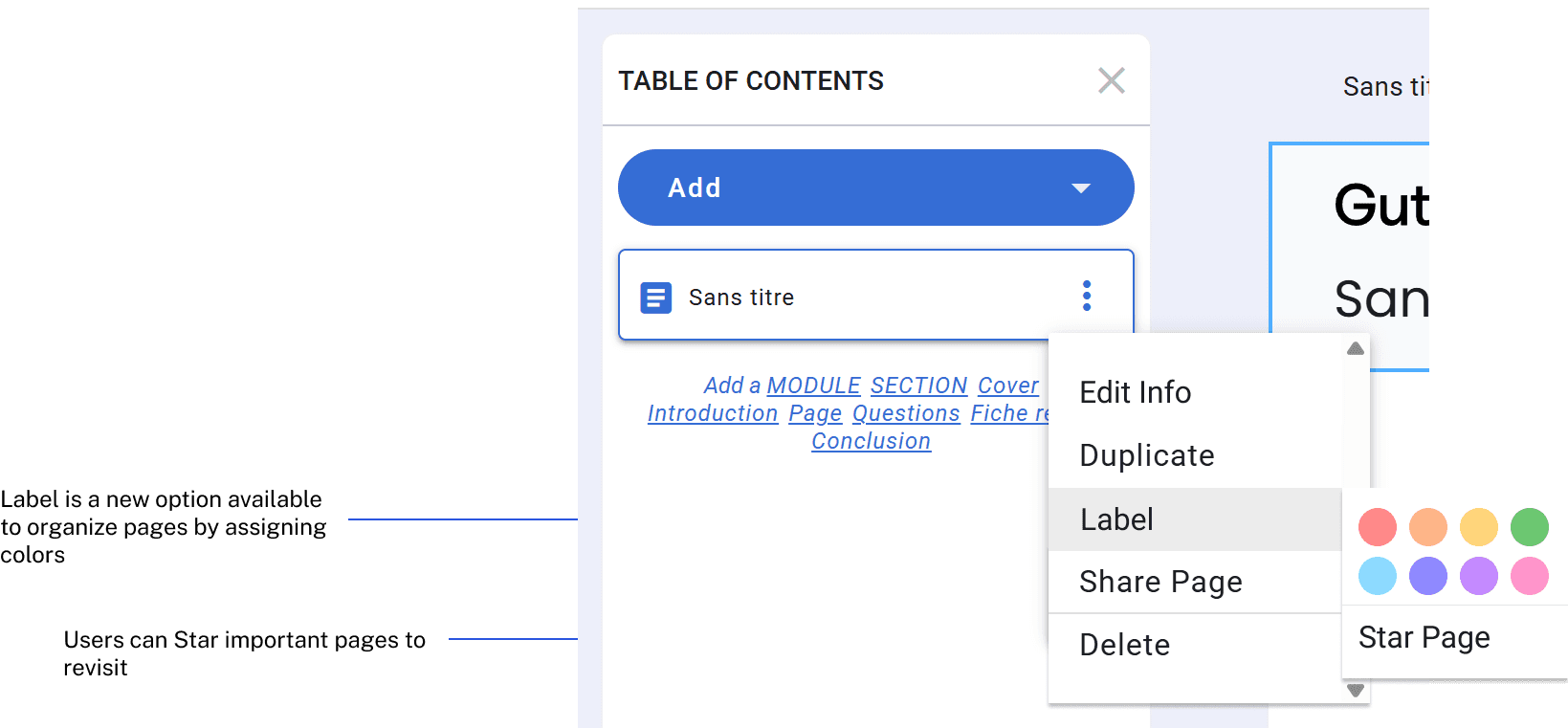
Some users also noted that the TOC could be hard to read. One participant suggested adding more space and organizational tools, such as colors and tags, similar to Google Drive.
Finding 2: Users were confused with the required template selection
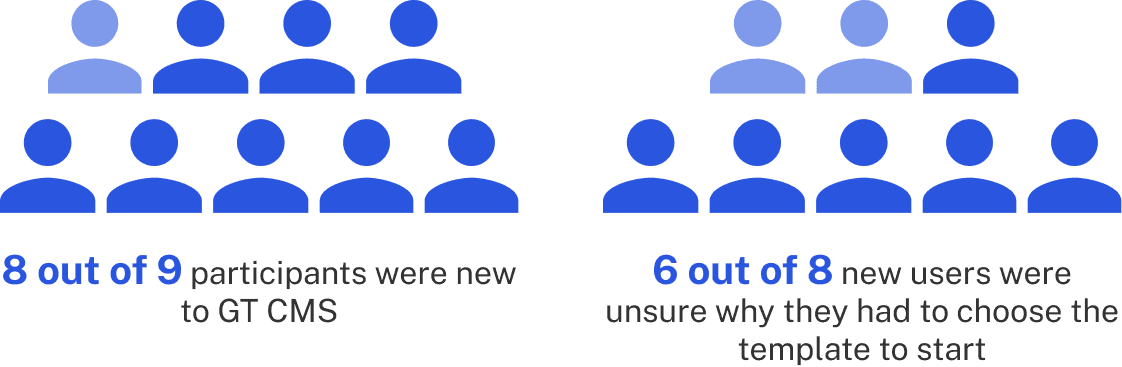
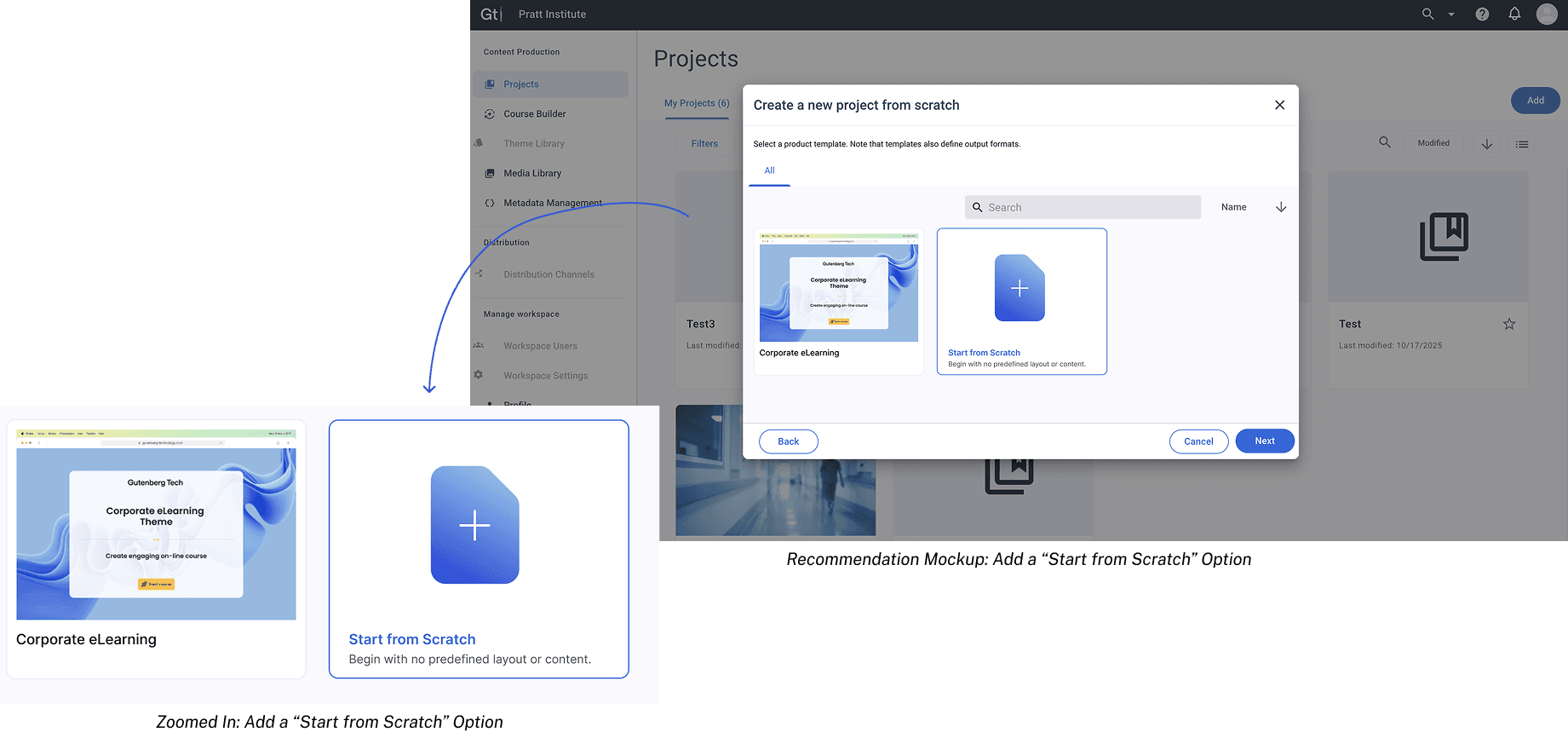
Users struggled at the start of the authoring flow. They were confused with the “create a project from scratch” language and being forced to select a template to start, which created confusion and slowed project setup for new users.
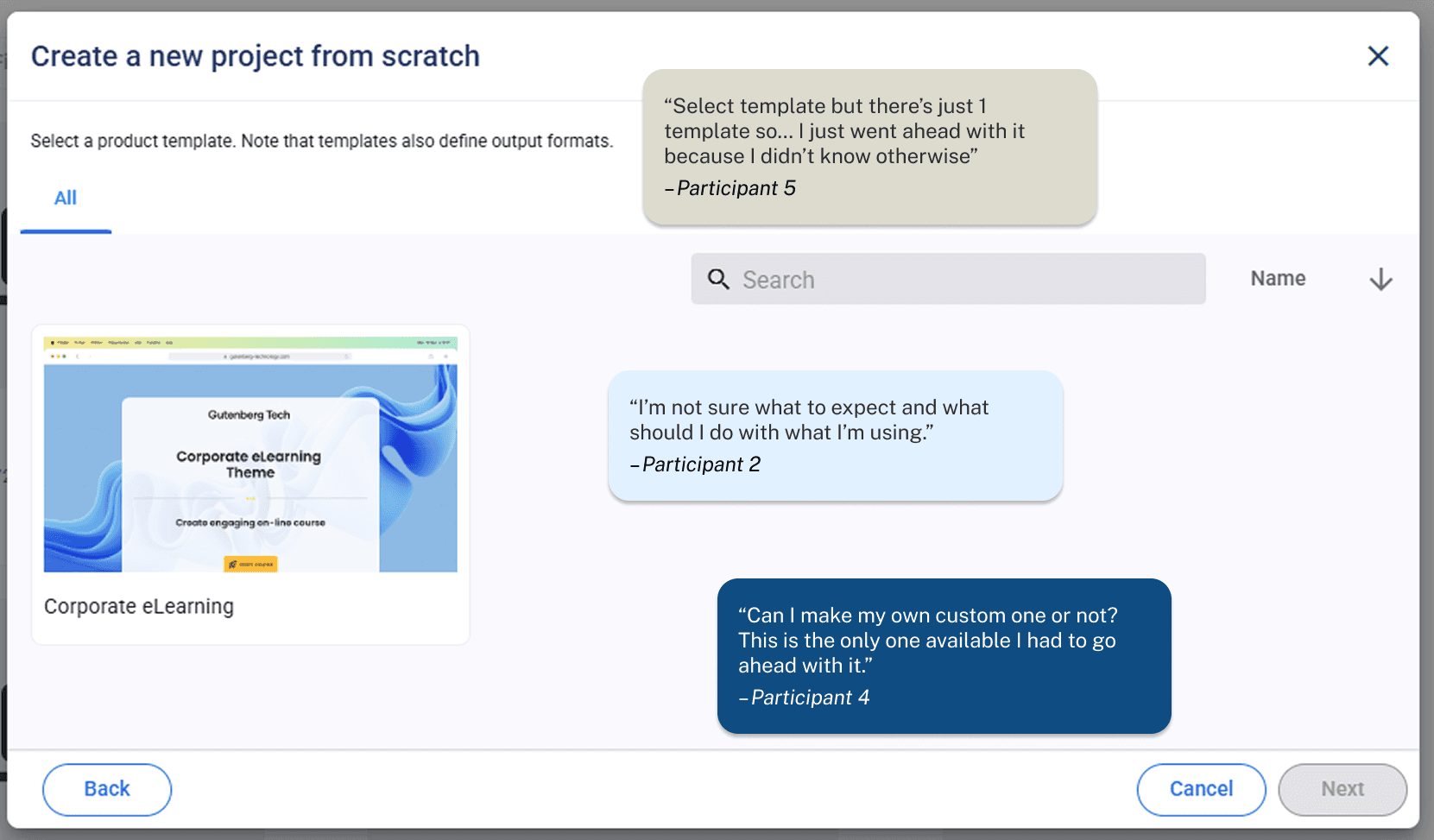
Gaze replay shows confusion caused by the mismatch between “create a project from scratch” and being required to choose the only available template.
Recommendation 2: Adding a “Start from Scratch” option
Adding a “Start from Scratch” option to reduce confusion and allow users to create a new project without template selection requirement. This allows for more customization and user agency. It also fits the concept of "authoring from scratch" more.
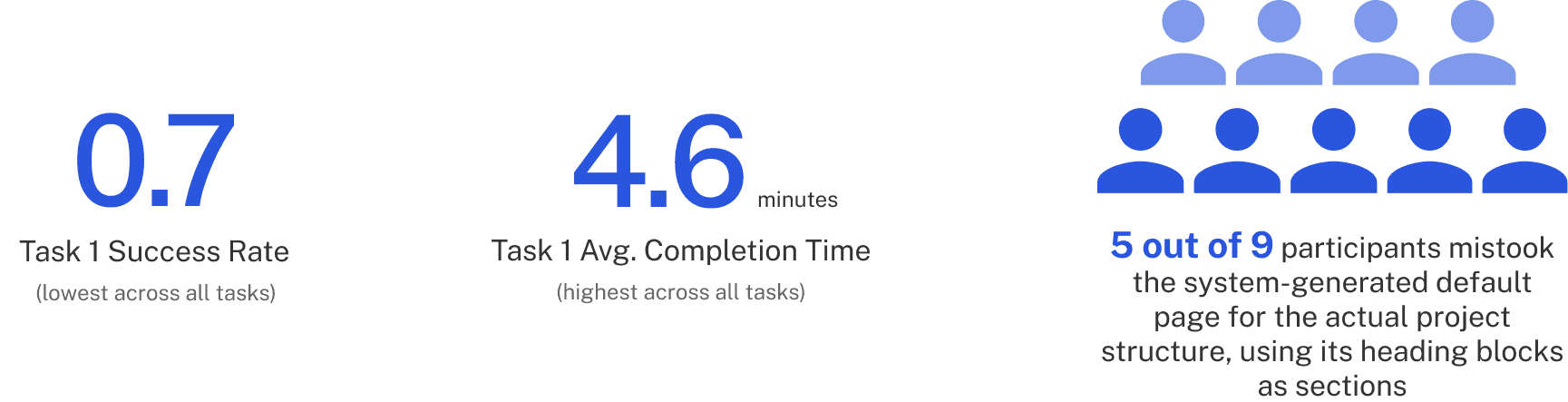
Finding 3: Users misinterpreted the system-generated default page
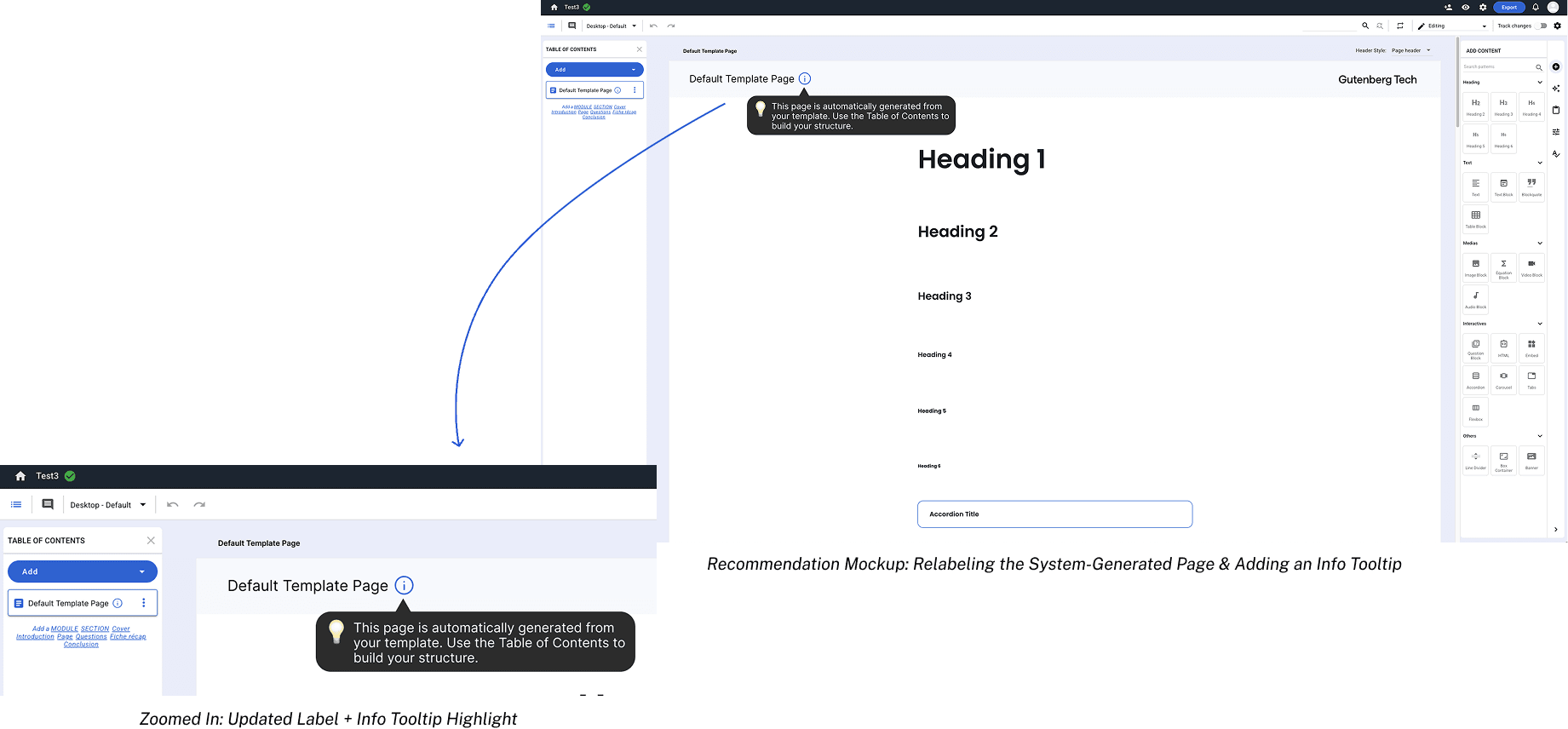
When asked to create sections, users mistook the system-generated default page’s heading blocks as actual sections, which slowed the entire authoring flow and prevented effective use of the Table of Content (TOC). Currently, the system-generated template page displays a number of headings so that users can see the capabilities of CMS and what different types of content are available to add. However, that proved to be confusing for first time users who were learning to navigate the page and led to them missing the TOC all together.
Gaze Replay shows direct editing the system-generated default page

Recommendation 3: Relabeling the system-generated page and adding an info tooltip to clarify its purpose
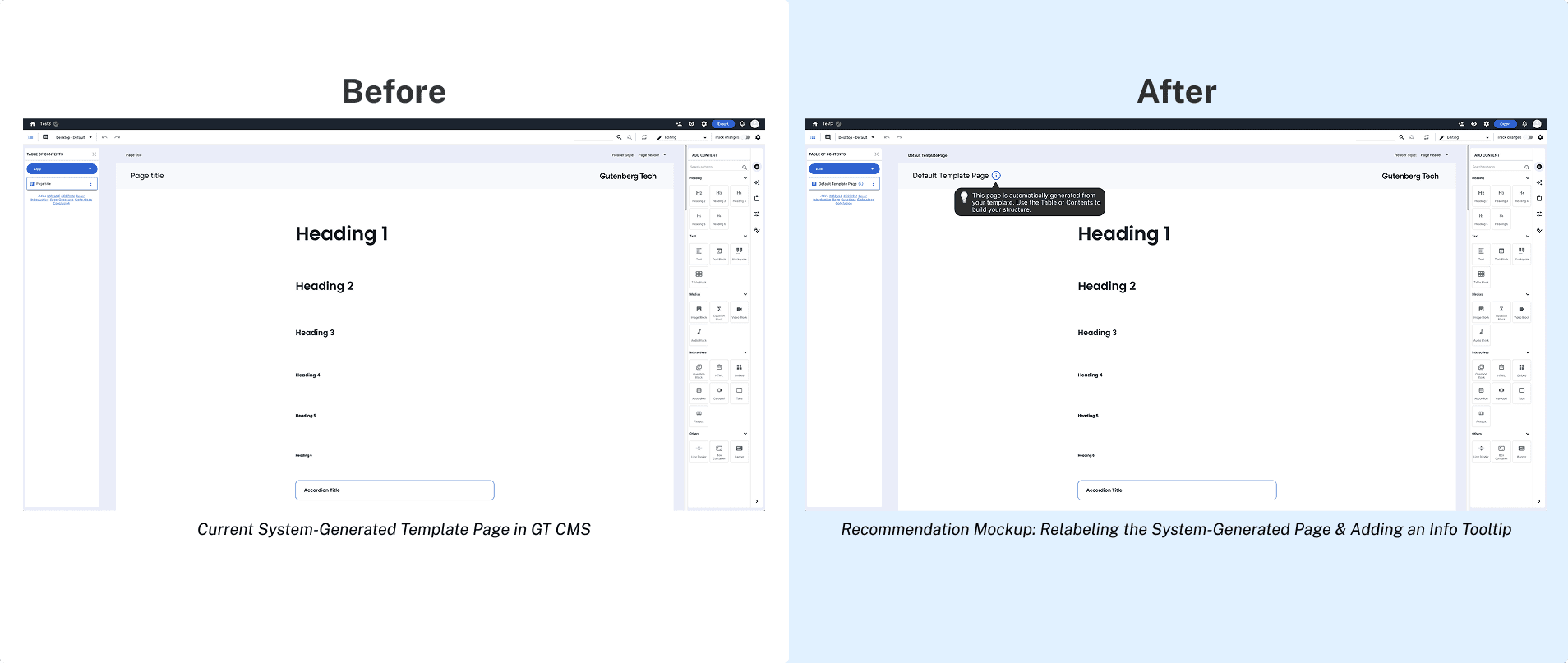
I considered discarding all of the content on the page since some participants noted that it was overwhelming and confused them, but because I still wanted to display the different types of content, I decided to utilize a tooltip instead to direct users to look at the TOC. This first page is also labeled as the Default Template Page at the top and within the TOC so that users understand its purpose of showing the template.
Finding 4: Users struggled on how to add content
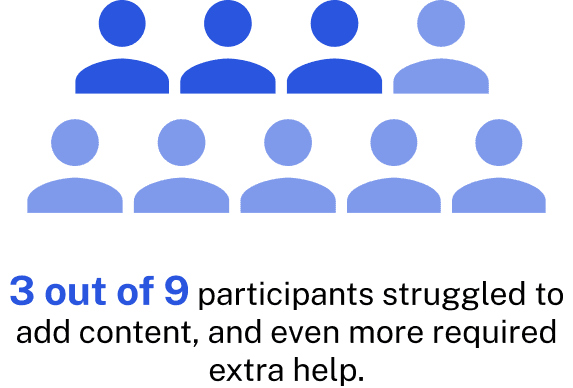
Multiple participants initially did not understand how to add content from the panel on the right side. Users were double clicking the page and attempting to type rather than drag blocks from the side.
Participants also missed the Add Content panel since it sometimes changed to a different Edit Pattern panel when the page was clicked. This meant that users had to click the plus icon to access adding content, which was also not intuitive for many participants.
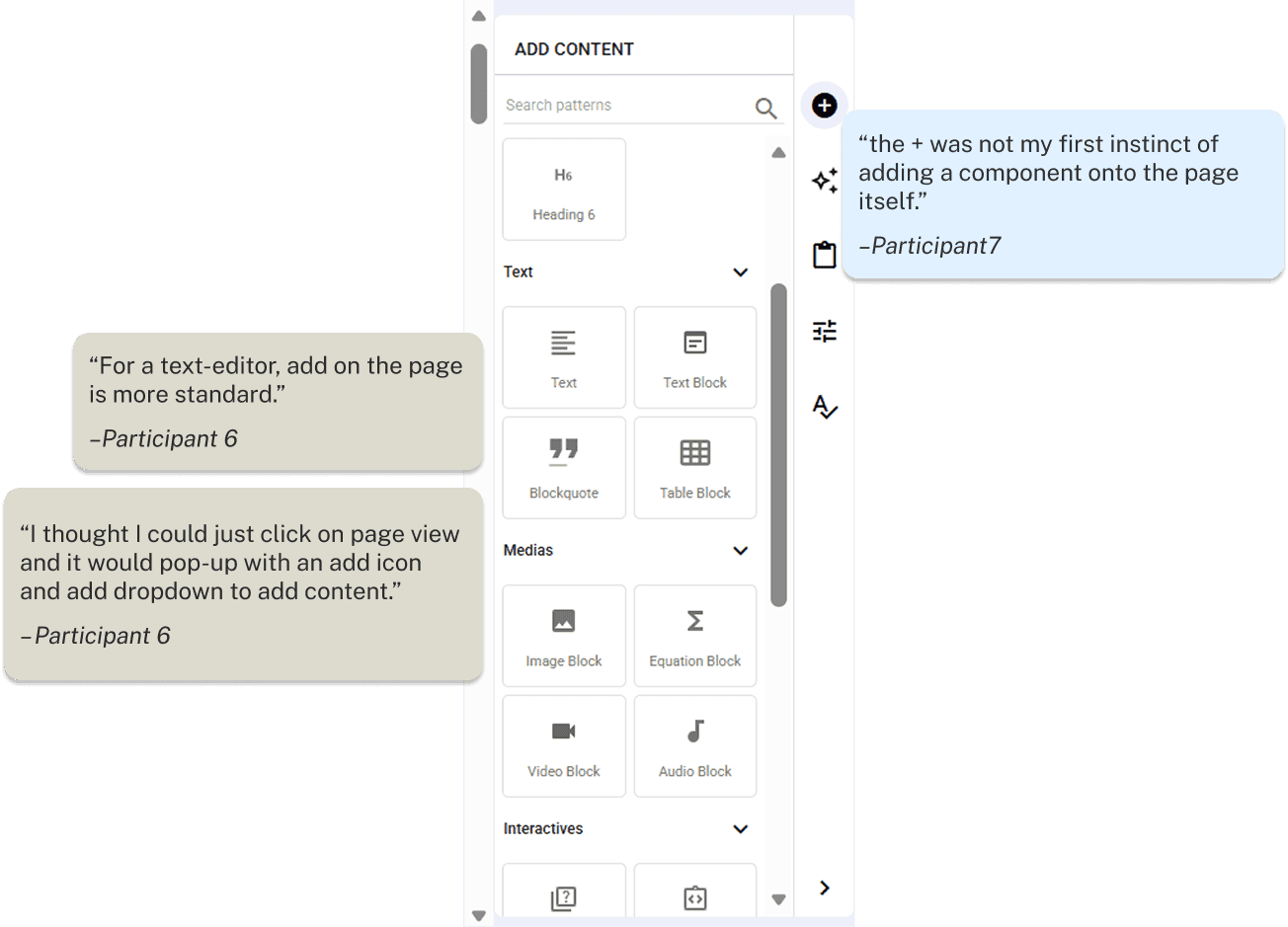
Gaze Replay shows participant struggling to find add button and double clicking on page
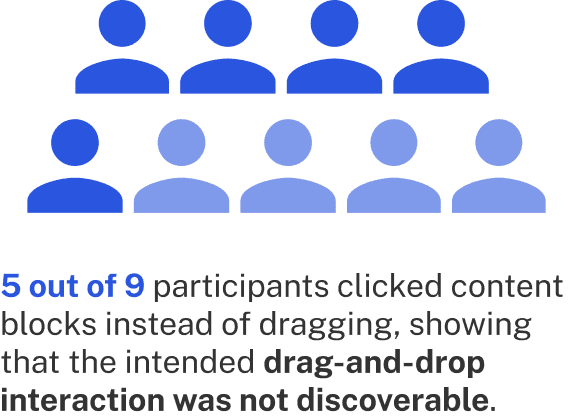
The drag-and-drop to add content interaction was not discoverable, which made organizing work difficult. Users were simply clicking on the blocks, which was placing the content on the page, but defeated the purpose of the drag-and-drop interaction. That showed that the drag-and-drop was not intuitive and did not fit the average user's mental model of adding content.
Gaze Replay shows repeated clicking on content blocks instead of dragging

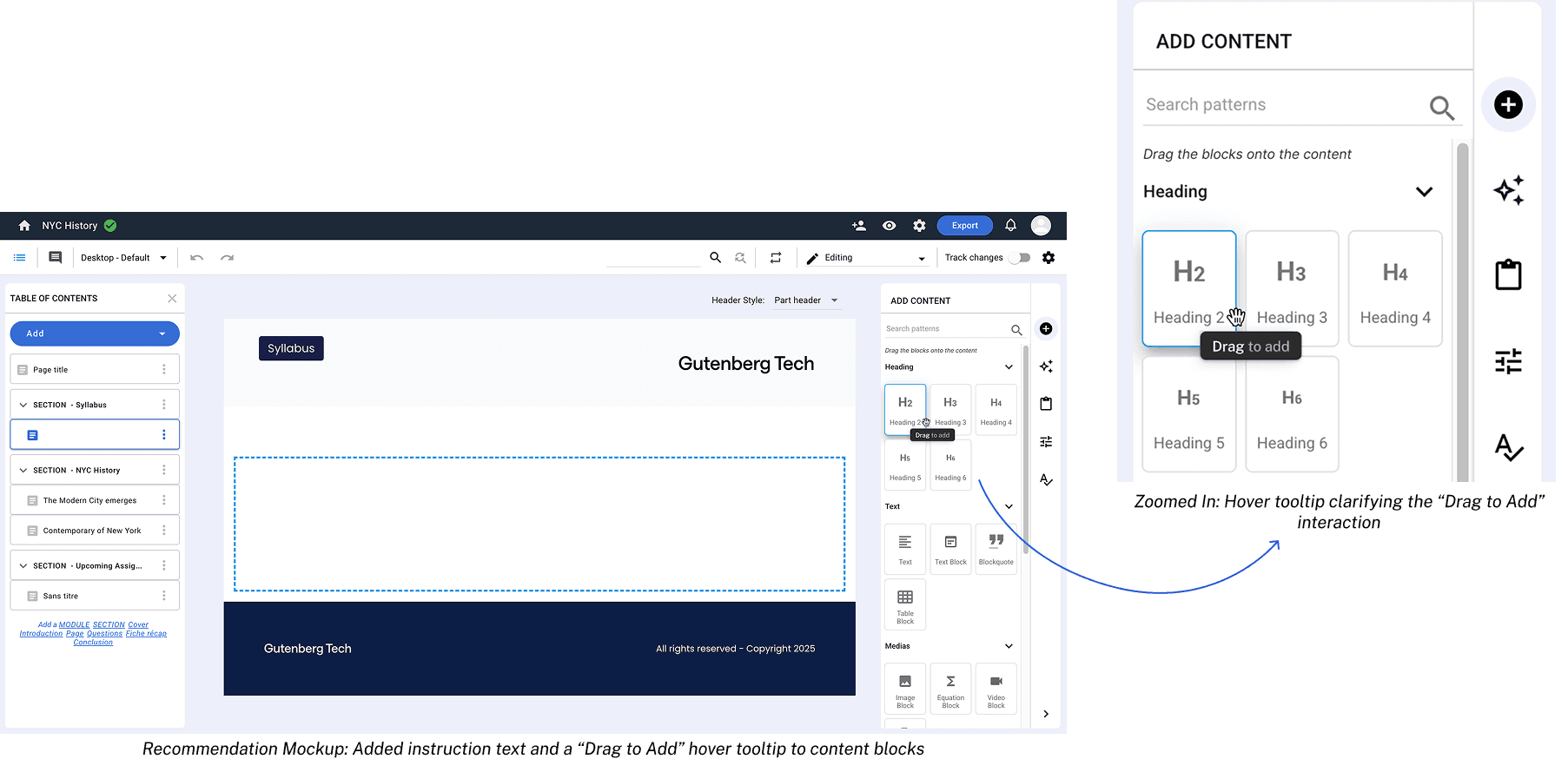
Recommendation 4: Adding guiding prompts and tooltips to improve learnability
I recommend adding a prompt directly on the page that would direct users to access the right panel. In this redesign, there are also 2 buttons that open the right panel in case users are not able to find it due to the panel being closed. This improvement will make it easier for new users to onboard and understand the drag-and-drop mechanic.
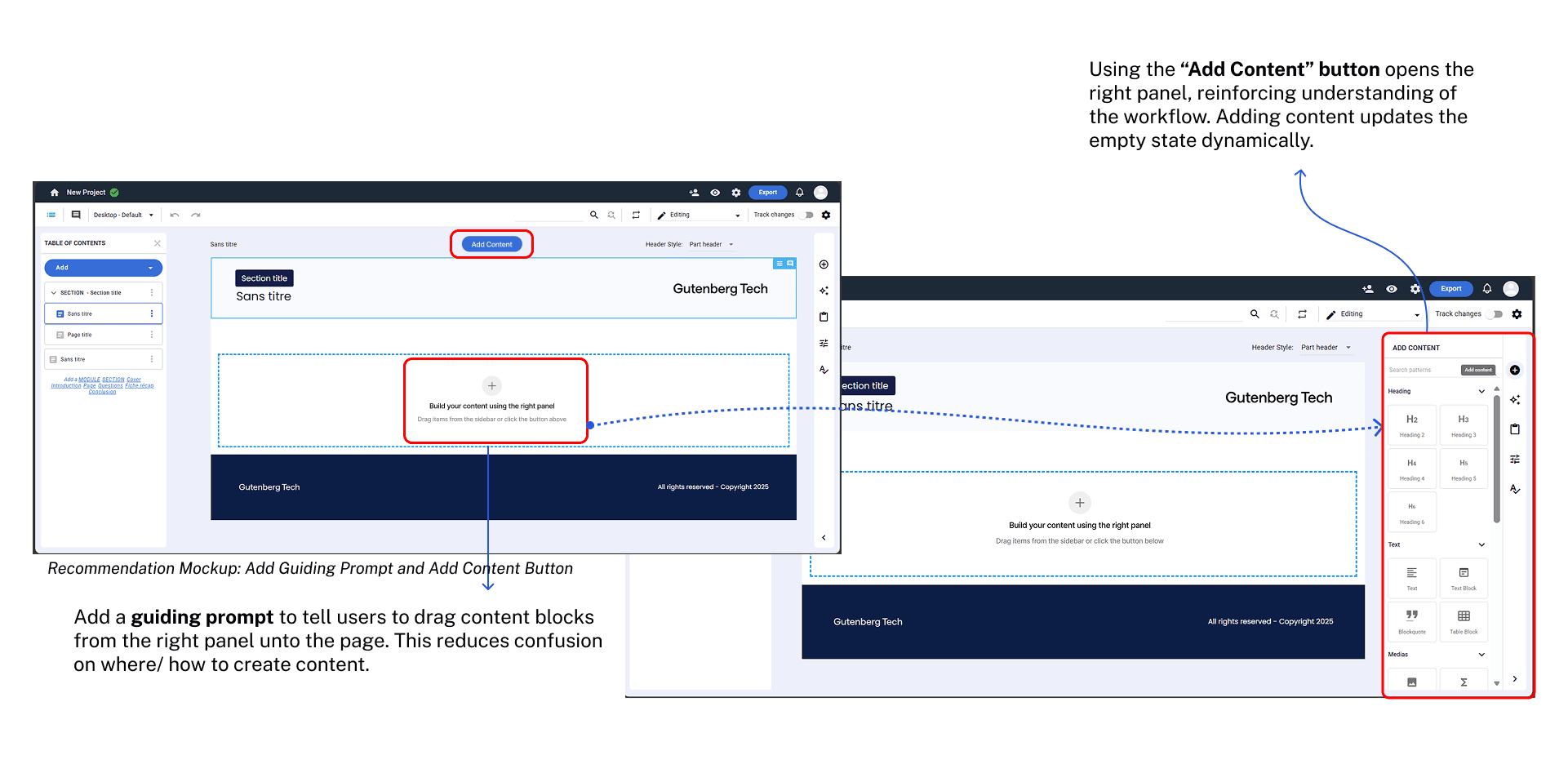
To make drag-and-drop more intuitive, a tooltip will appear on hover to tell users that they should drag elements to add them to the document. Subtext in the menu telling the user to drag the blocks onto the content also teach new users how the menu works.
Next Steps: A/B Testing Proposal
I recommend continuing this study with A/B Testing once recommendations can be implemented. The objective of the A/B testing would be to validate whether the proposed recommendations could reduce confusion, improve task success, and increase authoring efficiency.
Potential Variants:
a) Control (A): Current CT CMS Experience
b) Variant (B): Our Proposed Recommendations
Start from Scratch option in project creation
Relabeled “Default Template Page” and Info Tooltip
Updated cursor and “Drag to Reorder” tooltip
Redesigned TOC Dropdown
Prompt to add content on empty pages
“Drag to Add” instruction and tooltip
“Generate with AI” option explanation and “Drag to Add” tooltip
Key Metrics to Test:
Task success rate
Task completion time
Heatmap
Session recording behaviors
Expected Outcomes:
Higher task success rate
Lower confusion indicators
Faster and smoother project setup
Clearer understanding of default page vs. actual project structure
More accurate of TOC usage
Better drag-and-drop performance
Increased confidence for new users
Target User Segment:
We should focus on first-time users for this A/B test, as existing users have already developed familiarity with the interface, which would skew results and prevent accurate comparison between control and the variant. Aim for sample size of 100-150 users per variant.
Conclusion
This collaboration was an amazing opportunity for me and my teammates to learn and employ new usability testing methods, such as eye-tracking. We learned how to analyze so much new qualitative and quantitative data and how to use them together to create meaningful insights.
Client Testimonial
"Thank you for sharing your study — there are many valuable insights in your work! Some findings are straightforward and can lead to quick improvements (e.g. changing labels, adding tooltips), while others will require more in-depth adjustments (refactoring the TOC, improving drag & drop, adding content options, or reworking the panel layout). All of them are highly relevant and reassuring, as they validate our intuitions and confirm that we’re moving in the right direction. Your findings will directly inform our upcoming interface refactor, so your contribution is truly appreciated." - Gutenberg Technology