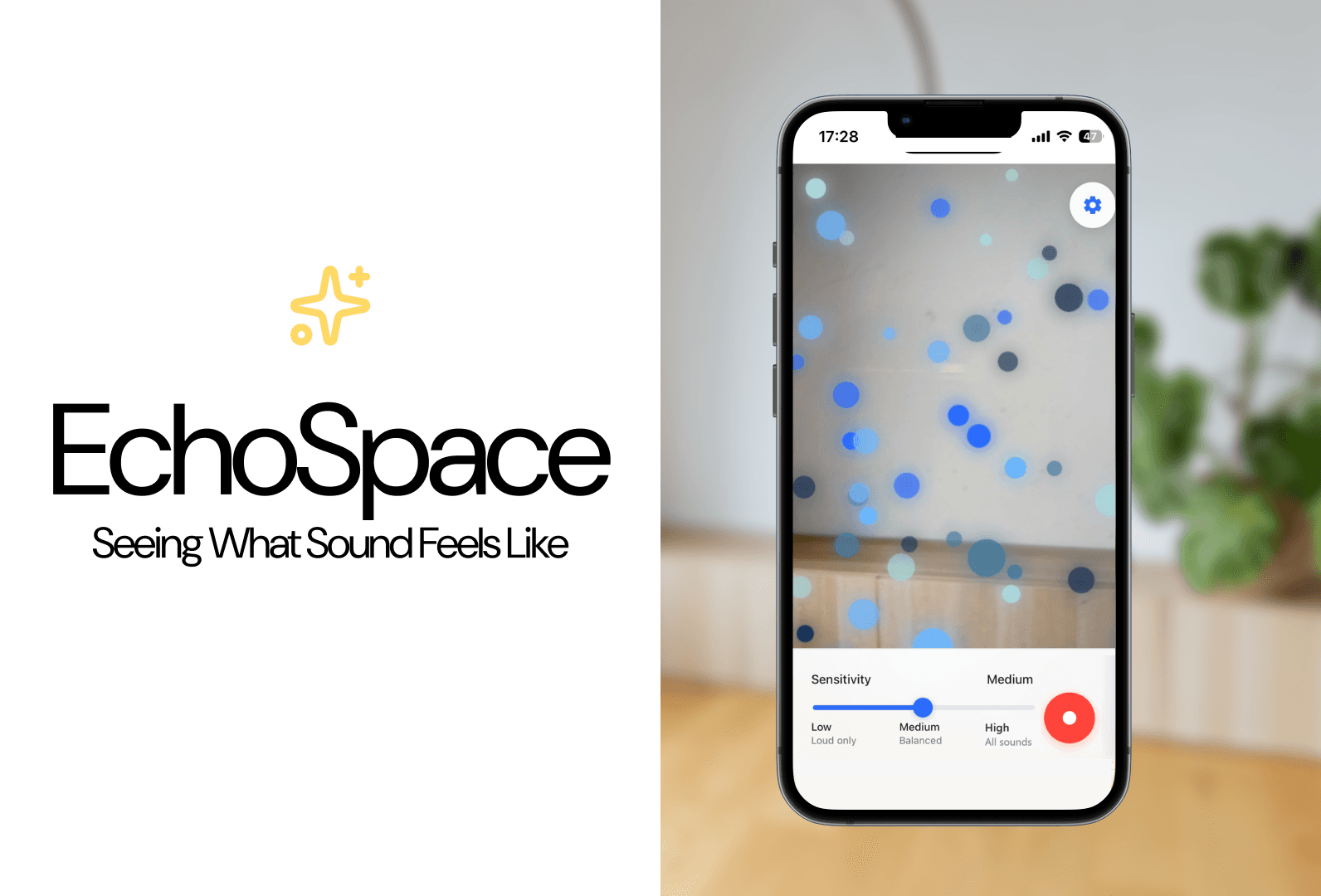
Nov
—
Dec 2025
Role
UX Designer
Developer
Tools
Figma
HTML/CSS
Javascript
Skills
Wireframing
Prototyping
Augmented Reality
Grace Ho
Isadora Oh
Jeffrey Yang
Team
Context
Setting the Stage: Music is for Everyong
Most of the world experiences sound as an immediate, invisible force. But what if you could take some inspiration from synesthesia and give sound a physical, spatial presence? How would this change the game for people with impaired hearing? For artists and musicians? This project began with a simple yet profound question:

Decoding the Challenge: Giving Sound a Shape
The primary challenge of this project was to create a consistent visual language for representing sound, an otherwise invisible phenomenon. The goal was to design an AR experience that allows users to interpret sound through visual elements such as pitch, volume, and rhythm, while maintaining a calm and unobtrusive interface.
Who would benefit from EchoSpace?
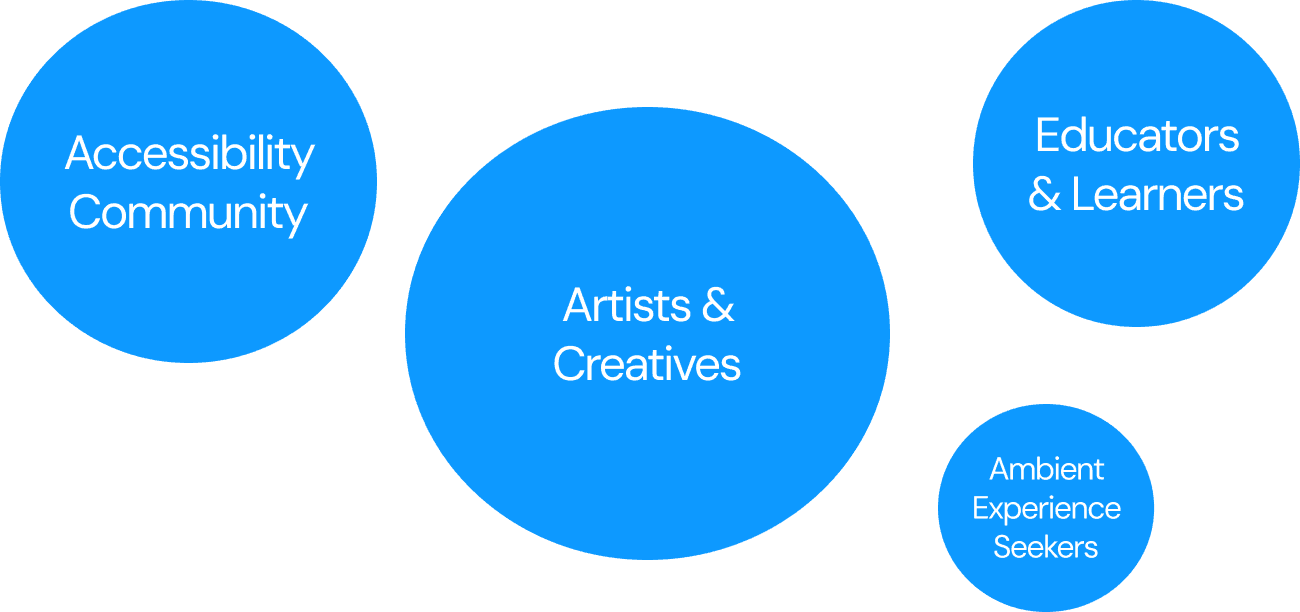
EchoSpace promotes accessibility for users with hearing impairments, offering an alternative way to perceive and interpret auditory information. This immersive visualization is also designed for artists, educators, and anyone curious about sound.
Sketching
Sketching our Explorations
Our early explorations focused on abstract, particle-based forms to reflect the transient nature of sound waves. Pitch was represented through vertical positioning, volume through size and density, and rhythm through pulsing or ripple effects within the visual form.
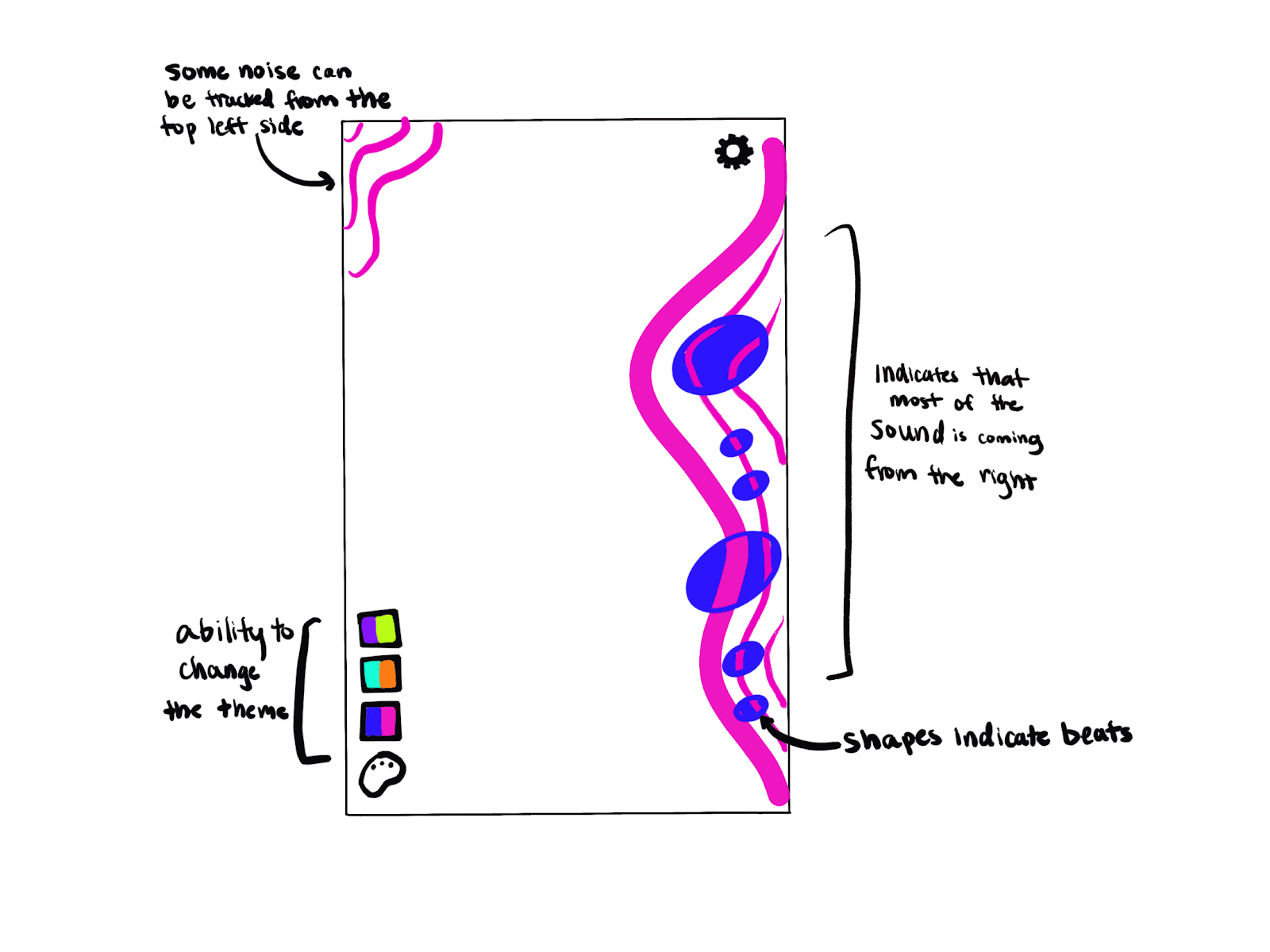
We created an interaction flow to map out the different screens and customizations for users, then utilized Figma AI to generate a visual based on the sketch.
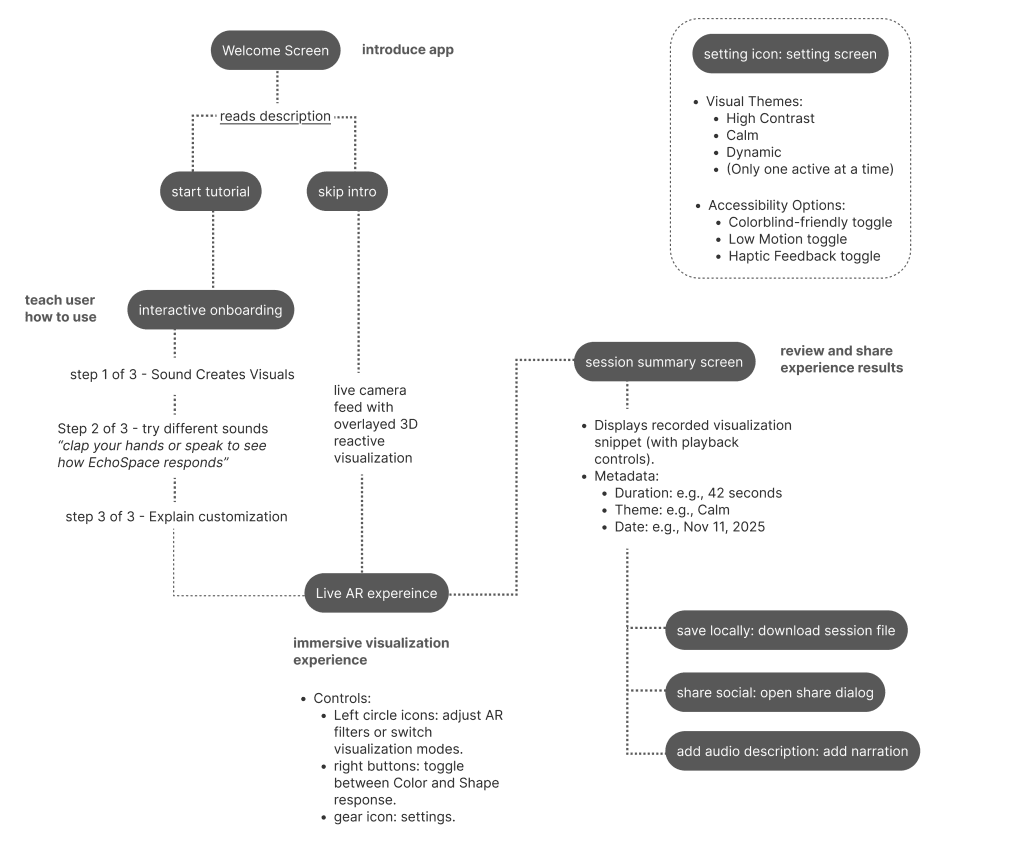
First iteration interaction flow
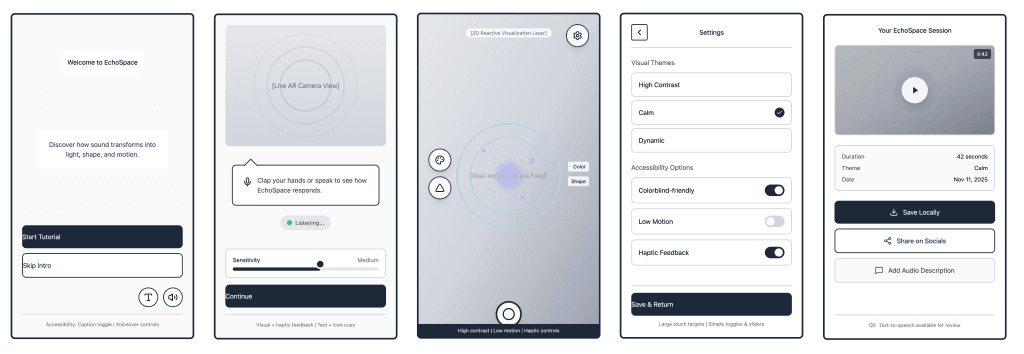
Mid-fidelity wireframes
1st Iteration
From the wireframe and interaction flow, I fleshed out the first iteration in A-Frame with Claude. In this first iteration, with lots of prompt engineering and a few manual fixes, I was able to create
Moving visuals that responded to microphone audio
A sensitivity bar for how much the visualizations moved per volume
Multiple color themes and visual shapes
Customizable settings to personalize one's experience
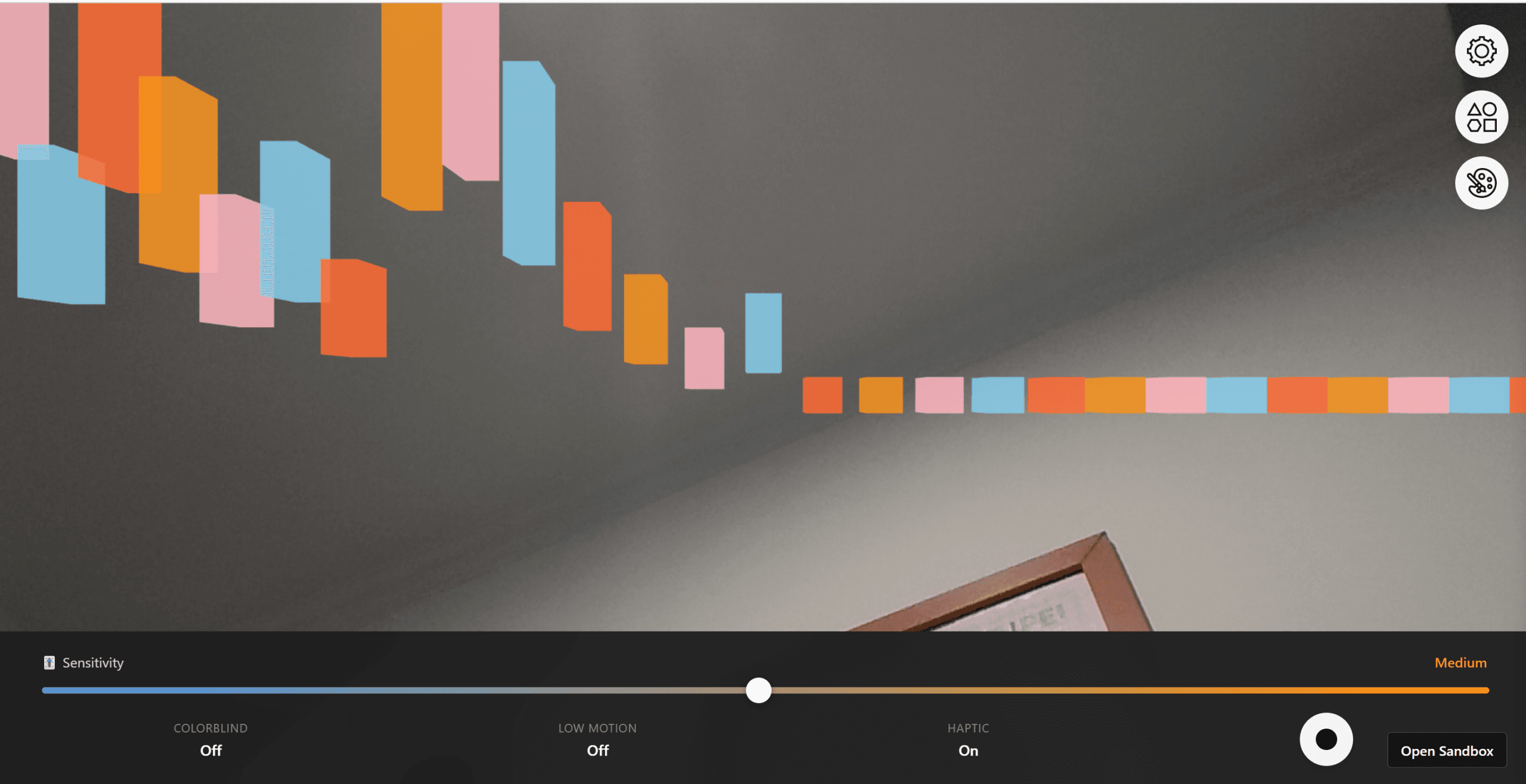
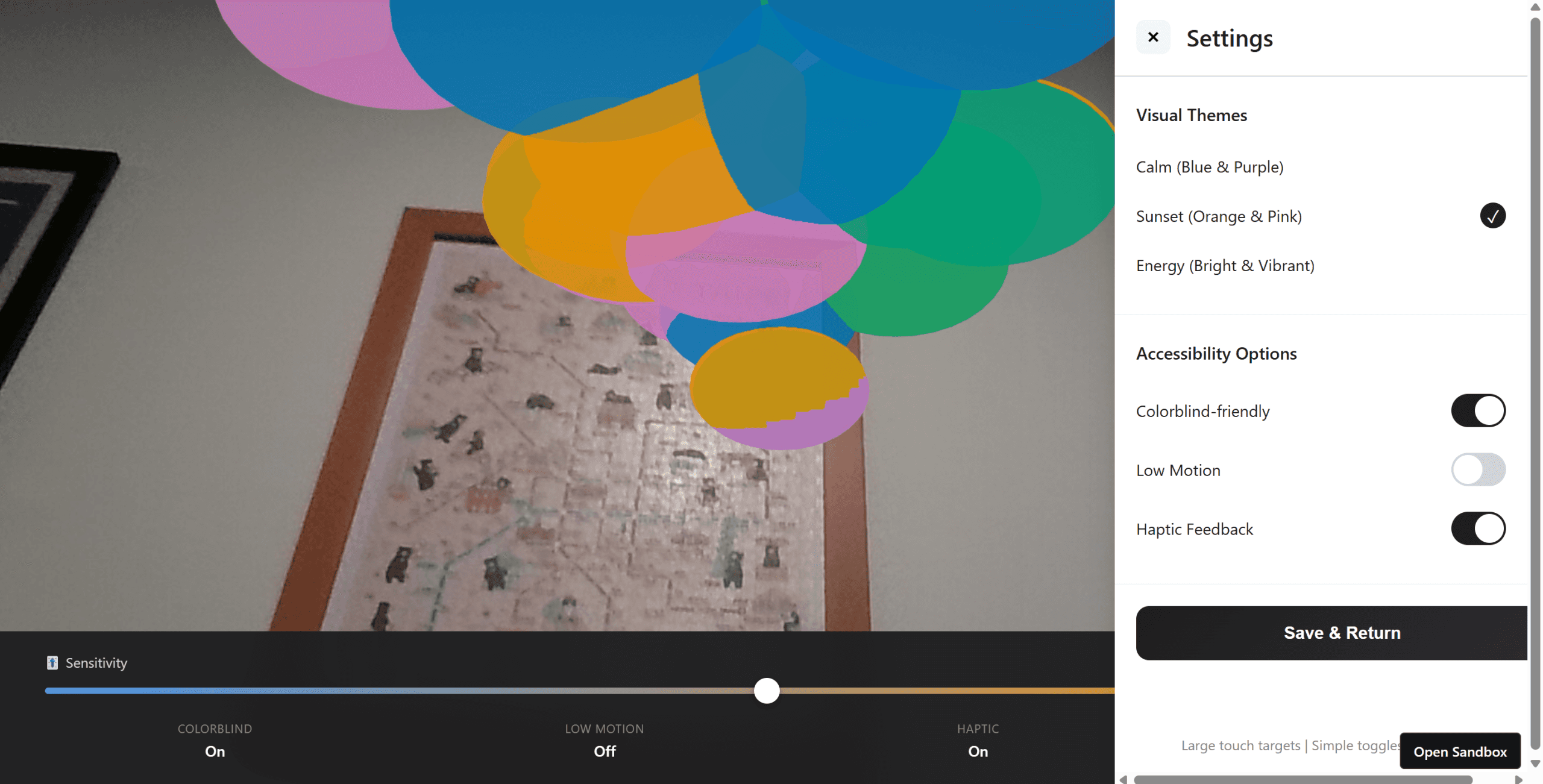
First iteration screen caps
Accessibility First
With a goal to make music truly for everyone, there were some accessibility considerations to keep in mind.
Colorblind-friendly mode: Utilizes colors that are distinguishable for protanopia (red-blind), deuteranopia (green-blind), and tritanopia (blue-blind) while maintaining a high contrast
Low motion mode: Reduces motion by 90% for users with motion sensitivity
User Testing
After developing the first iteration prototype, we conducted moderated user tests with two users, SC and WL. This process validated interest in the concept but revealed key usability issues related to feedback and clarity.




Testing showed us that users need immediate and continuous confirmation that the system is functioning and an interactive tutorial before engaging with more advanced features.
Final Solution
Fulfilling the need for more visual confirmations & teachability
We made a few updates to make the experience clearer and smoother:
Microphone feedback: A subtle sound meter at the bottom shows the app is actively listening—even without 3D visuals.
Clear permissions intro: A quick splash screen explains why we need camera and mic access, making that step feel more natural.
Smaller starting scale: Visuals now begin smaller, so their movement and growth are easier to follow (and less overwhelming).
“True View” camera: The camera is no longer mirrored, so AR visuals line up more intuitively with the real world.
More interactive onboarding: Early on, users can tweak things like color and texture, making the experience feel creative right away.
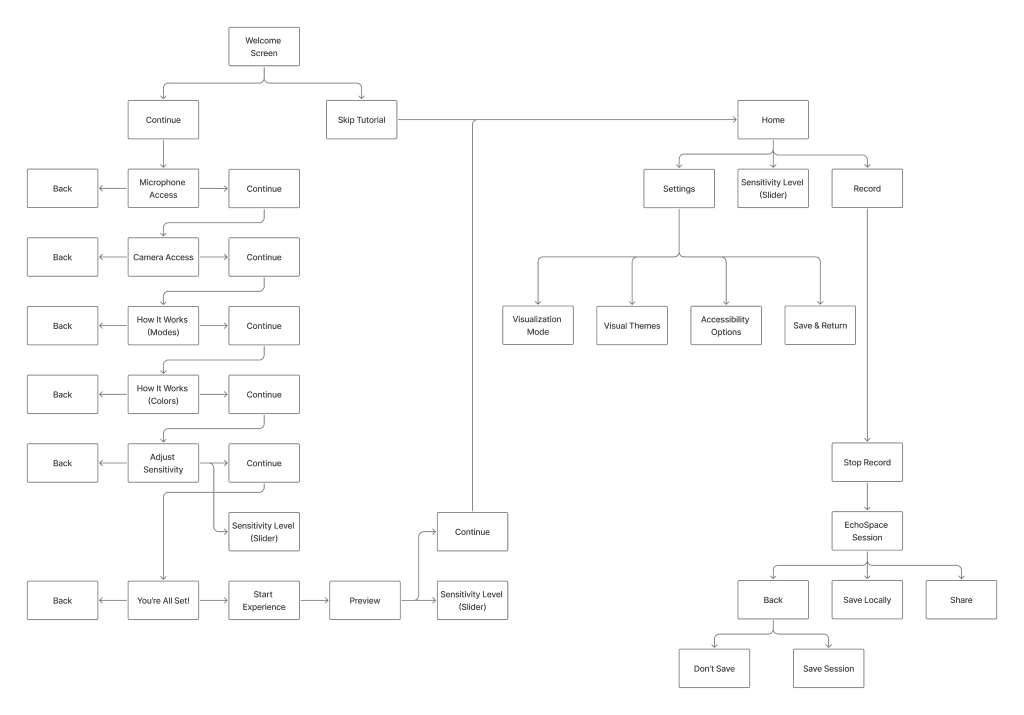
Final iteration interaction flow
A new, easy-to-follow, guided onboarding flow
Our first round of user testing showed that most users wanted to skip the tutorial and were confused about the setup.
This flow provides simple, actionable steps like "Clap your hands" and "Speak a sentence" to give instant feedback, build trust, and ensure users successfully reach the product's main AR screen without confusion
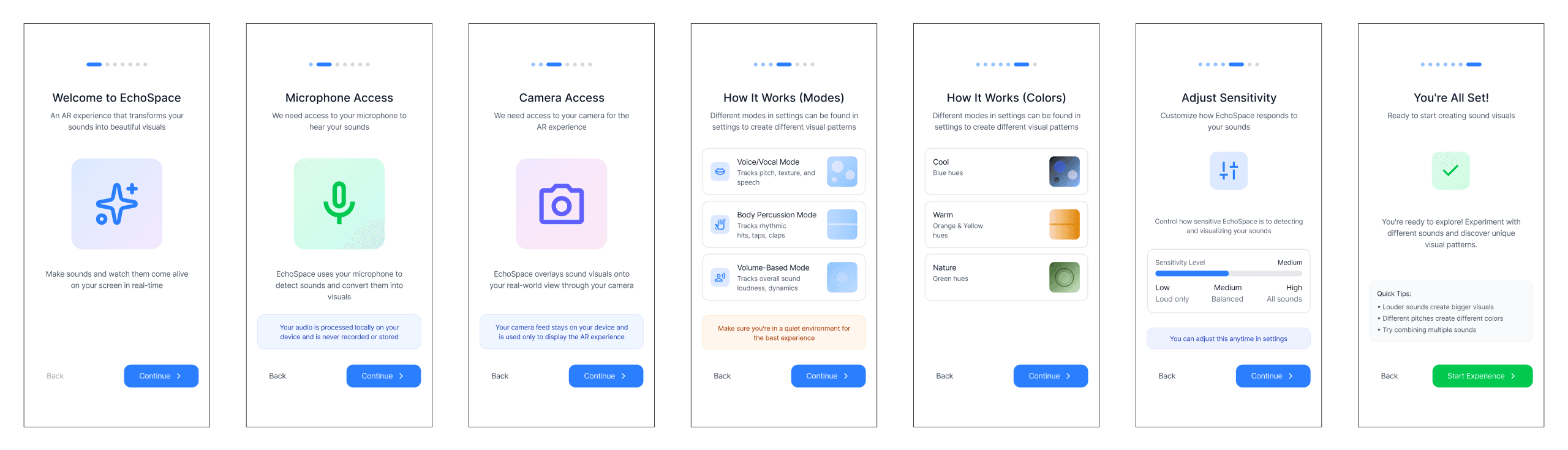
Interactive Onboarding Screens
Providing Real-Time Feedback for Troubleshooting
A major pain point was the lack of "listening" feedback, making it hard for users (especially those with hearing impairments) to know if the mic was active or audio was being processed.
We implemented a Real-Time Preview screen. This gives immediate visual feedback, acting as a crucial confidence-builder and a simple sound meter to confirm the app is actively working.
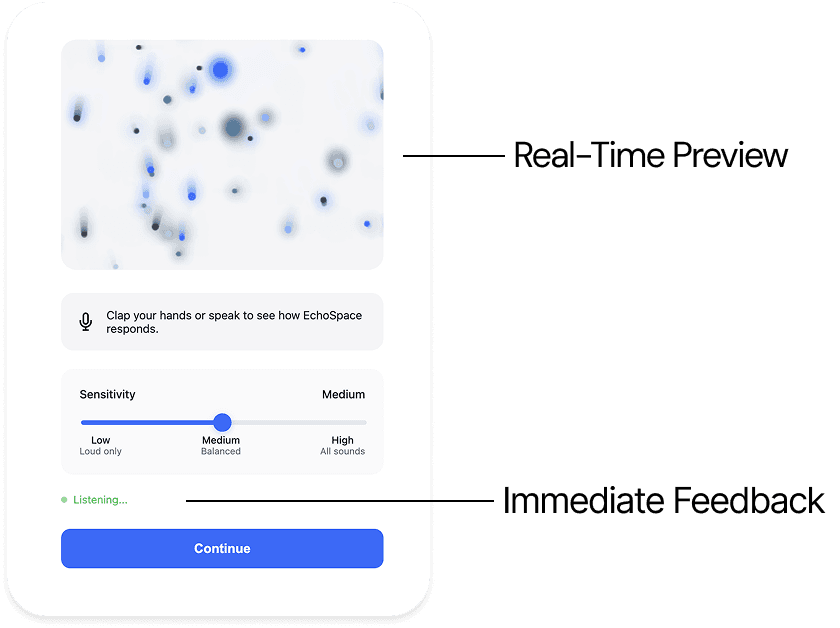
Microphone Feedback
Customization through Form, Color, and Accessibility
Modes allow users to select an audio input type, like Voice/Vocal, Body Percussion, or Volume-Based input.
Colors offer new curated themes like Cool (Blue Hues) and Warm (Orange Hues).
Colorblind-friendly setting persists, ensuring that information is always conveyed through shape and motion, not color alone
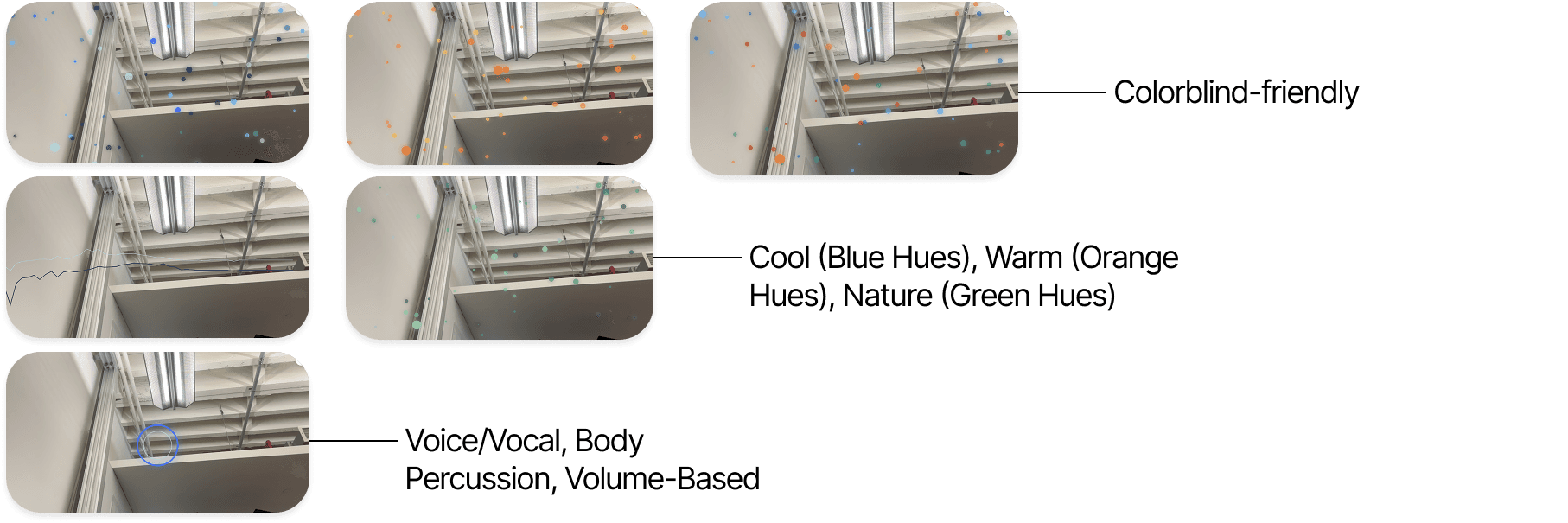
Color & Shape Modes & Accessibility
Sharing & Saving Sound
We added a 'Saves + Shares' feature, providing utility beyond the live AR experience. After each session, the user is presented with a Session Summary that includes key metadata like the video duration, the mode and color theme used, and the date. This allows users to view, export, and share a short playback snippet, turning the experience into a creative asset or a learning artifact
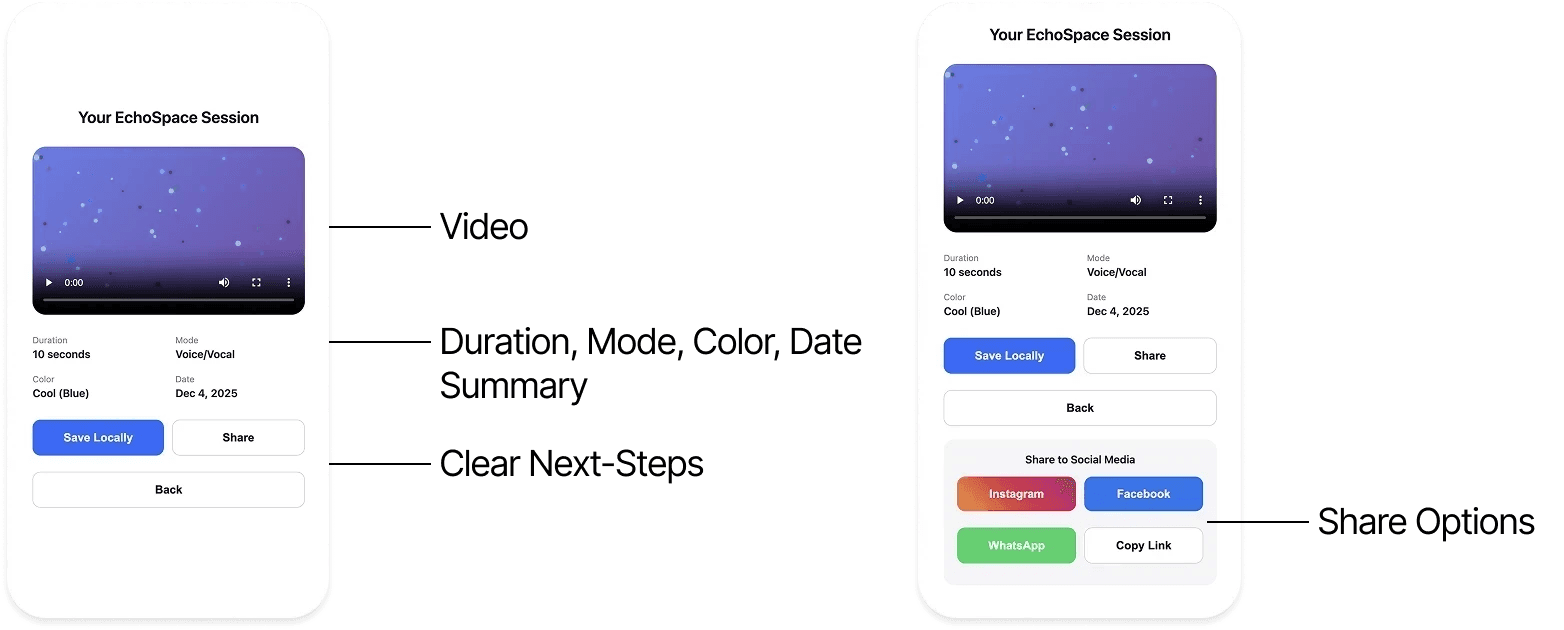
End Session Screens
Try it out!
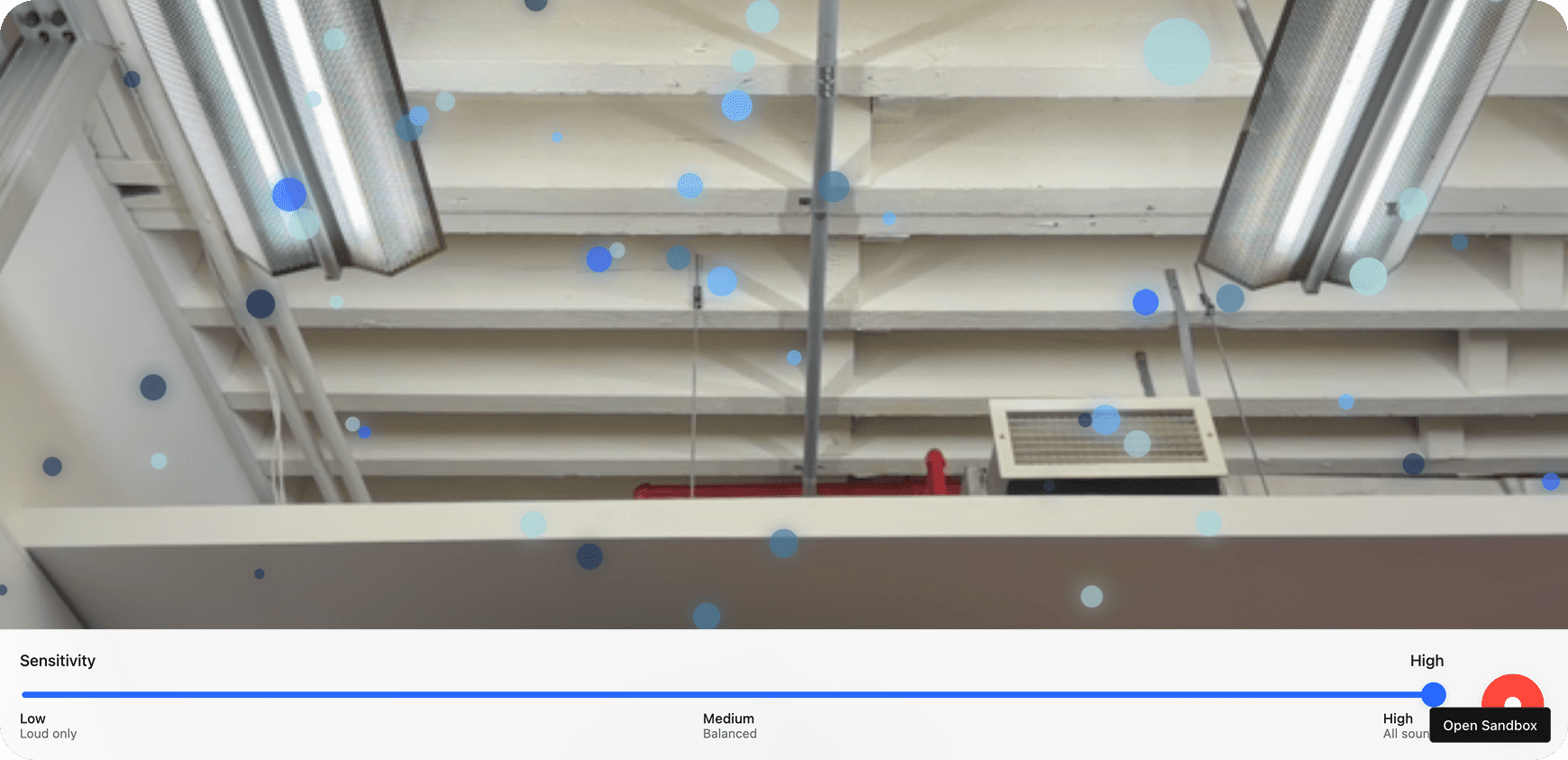
Interesting in getting the full experience? Try out our interactive demo below!
Demo
Conclusion
Creating EchoSpace was among my first experiences designing in augmented reality (AR) with A-Frame and "vibe coding" with Claude. I'm glad it could be an exploration into audio and how to redesign that experience with an accessibility lens. As someone with a hard of hearing parent, I know that these designs can be impactful in an accessible community.
Potential Next Steps
Exploring other possible use cases for accessibility
User testing for users with audio accessibility needs
Refinements based on user testing
Key Learnings
Accessibility Must Drive the Core Experience
The project focused on making an invisible sense—sound—accessible. We used an accessibility-first approach that translated sound through shape and motion rather than relying on color alone.
User testing showed that clear visual cues for audio processing are essential, especially for Deaf or Hard-of-Hearing (DHH) and neurodiverse users.
Hybrid Experiences Demand Immediate, Meaningful Feedback
In augmented reality, delayed feedback quickly breaks engagement. Early user testing showed users needed real-time confirmation that the microphone was “listening.”
The solution was adding a real-time preview and designing visual effects that clearly correlate with the audio input, helping users stay engaged and trust the technology.